

Trader AI - Chart Analysis Review 2026
Trader AI review covering photo-based chart analysis on iOS, pricing tiers, and accuracy. See our hands-on mobile testing results.
Trader AI is a decent mobile chart analysis option for iOS users. The photo-based workflow is convenient, but the analysis lacks the depth of desktop alternatives.
Try It →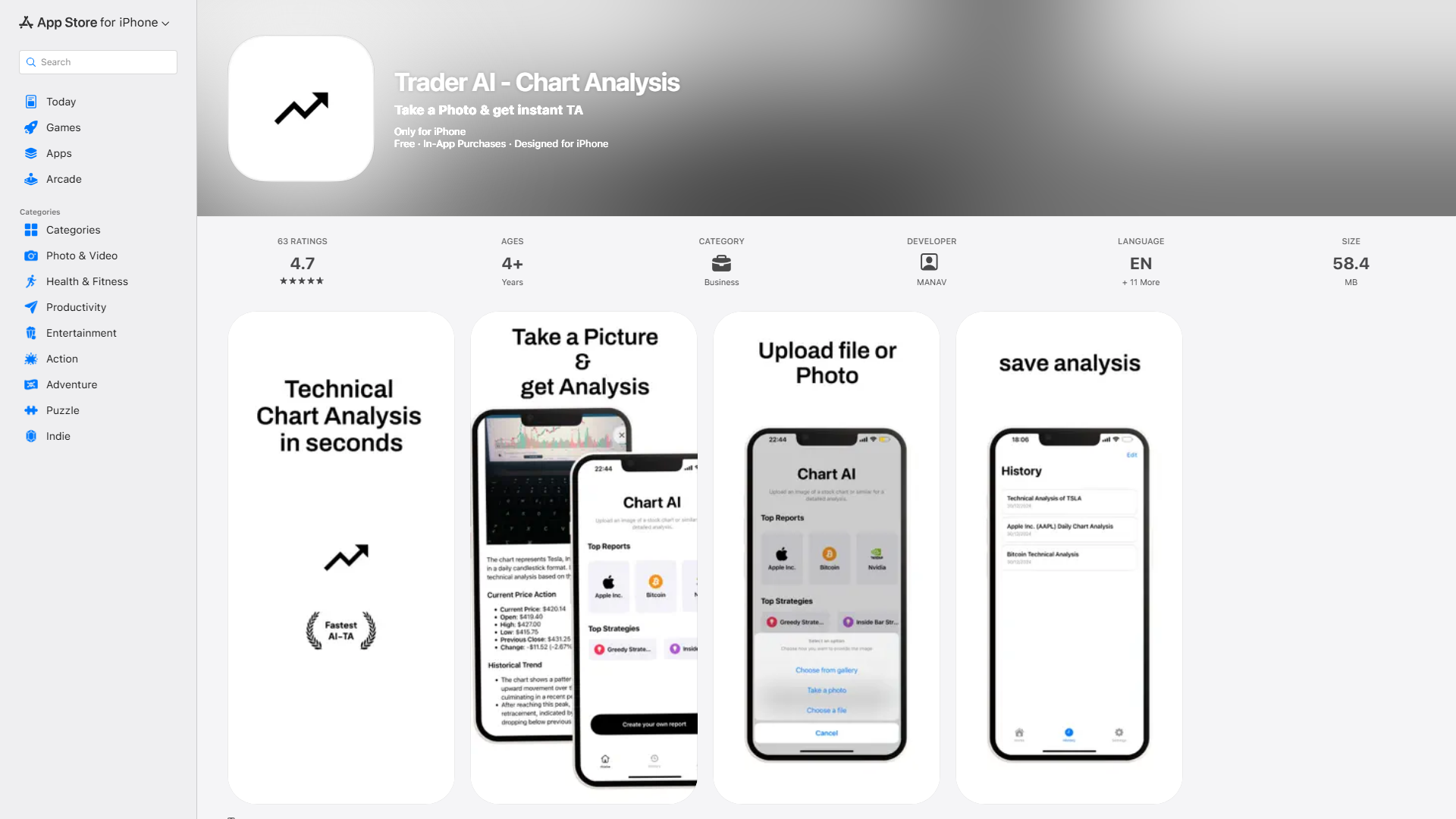
Trader AI is an iOS mobile app by Turkish developer MANAV that lets you snap a photo of any chart and receive instant AI-generated technical analysis. It supports both stock and cryptocurrency charts with features like trend direction analysis and entry/exit suggestions.
The app offers multiple pricing tiers from a one-time $8.99 purchase to a $49.99/year subscription. With a 4.7/5 star rating from 63 reviews on the App Store, it shows promise for mobile traders who want quick chart reads.
However, the multiple pricing tiers suggest an upsell funnel, and the analysis depth is limited compared to desktop-based tools.
- ✓Photo-based chart analysis
- ✓Stock and cryptocurrency support
- ✓Instant technical analysis
- ✓Entry/exit suggestions
- ✓Analyze More feature for deeper insights
| Plan | Price | Includes |
|---|---|---|
| Chart AI Pro | $8.99 |
|
| Monthly | $24.99/mo |
|
| AnnualPopular | $49.99/yr |
|
- +High App Store rating (4.7/5)
- +Simple snap-and-analyze workflow
- +Works on iPhone, iPad, and Mac M1+
- +Multiple pricing options
- −iOS only — no Android version
- −Multiple pricing tiers can be confusing
- −Limited depth vs desktop tools
- −No real-time market connection
iOS users who want quick photo-based chart analysis on the go
Trader AI is a decent mobile chart analysis option for iOS users. The photo-based workflow is convenient, but the analysis lacks the depth of desktop alternatives.
Is Trader AI available on Android?›
How much does Trader AI cost?›
Having AI chart analysis on my phone is really useful when I'm away from my desk. Snap a photo of a chart or upload a screenshot and get instant analysis. The pattern recognition is decent for quick checks. The app is lightweight and doesn't drain battery.
Trader AI is fine for a fast take on a chart pattern when you're on the go. But the analysis is pretty surface-level — it'll identify basic patterns and trend lines but doesn't go deep into confluence or multi-timeframe analysis. For a mobile app it's alright.
I use this mostly as a learning tool to check if my own chart reading matches what the AI sees. It's been educational in that regard. I wouldn't base actual trading decisions on it alone though. The mobile-first approach is appreciated but the analysis needs more depth.